






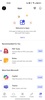



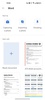

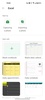

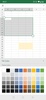


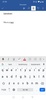



Microsoft 365 Copilot is an innovative artificial intelligence app developed by Microsoft Corporation that integrates advanced AI capabilities into Office tools, enabling users to optimize their workflow and boost productivity. Generate text, analyze data, automate tasks and improve document collaboration with this indispensable assistant for any professional or company using Microsoft 365. Integrated into Word, Excel, PowerPoint, Outlook and other apps, Copilot allows you to harness the power of generative AI in all your tasks, from writing reports to managing emails, making everyday work easier with smart suggestions and advanced automation.
Intelligent writing in Word to optimize your documents
Microsoft 365 Copilot transforms the way users create and edit Word documents with its ability to generate high-quality content based on specific prompts. With its advanced AI, Microsoft 365 Copilot can draft entire paragraphs, improve grammar, suggest rewordings and offer stylistic alternatives to suit the text's tone and purpose. You can even summarize long documents into concise sections, extract key points and improve content clarity without compromising on accuracy. This is especially useful when it comes to drafting reports, contracts, proposals or any other document that requires precise and professional language.
Advanced Excel data analysis to help you make better decisions
With Microsoft 365 Copilot in Excel, users can process large volumes of data more efficiently through its intelligent analysis functions. The tool's AI can generate complex formulas with simple prompts in natural language, identify patterns, create graphs automatically and perform predictive analytics in seconds. What's more, it can detect inconsistencies within data, recommend ways to optimize your spreadsheets and provide recommendations based on trends and key metrics. This is ideal for financial analysts, accountants, researchers and anyone who works with numerical data and is looking for a powerful tool to simplify their analysis.
Create strong PowerPoint presentations with the help of AI
Microsoft 365 Copilot makes creating striking PowerPoint slides easy, allowing users to generate professional presentations in minutes. From only a brief description, the AI can structure the content, select relevant images, apply eye-catching layouts and suggest appropriate transitions for each presentation. It can also summarize dense information and turn it into clear, organized bullet points, ensuring that the key messages are conveyed effectively. This feature is perfect for executives, teachers, students and marketing professionals looking to optimize presentation creation time without taking anything away from the visuals or quality of the content.
Efficient email management with Outlook
Microsoft 365 Copilot significantly improves the Outlook experience by automating the writing of your emails, organizing your inbox and generating intelligent responses based on the context of each message. With its analytical capabilities, it can prioritize the most important emails, offer quick responses and detect the key information within long email chains. It can also generate summaries of previous emails, making it easier to make informed decisions without having to read each message in full. The addition of Copilot makes Outlook a much more efficient tool for time management and professional communication.
Constant optimization through machine learning
Microsoft 365 Copilot is always improving thanks to its machine learning capabilities, adapting its features to the specific needs of each user over time. As you deploy the AI in your work, it learns your writing patterns, formatting preferences and work styles, optimizing its suggestions to be increasingly accurate and aligned with your needs. This constant evolution allows the tool to offer an advanced level of customization, maximizing efficiency and reducing the amount of effort required for repetitive tasks.
Requirements (Latest version)
- Android 10 or higher required


 166 reviews













Comments
💎my favorite keyboard💎
very good app
The best application for office writings.
Excellent
Very good application
Microsoft 365 has word power point and so much more